CongPlan Live
CongPlan Live is for publishers who cannot come to the Kingdom Hall because they are elderly or ill. A device, for example an iPad, stays at their home. As soon as the meeting runs in Zoom, the device joins it by itself. The person does not need to type, search or know a password.
How it works
- Set up once. A helper sets up the device, also over the phone: the device shows a number, the person reads it out, the helper types it into the administration. Then the device carries on by itself.
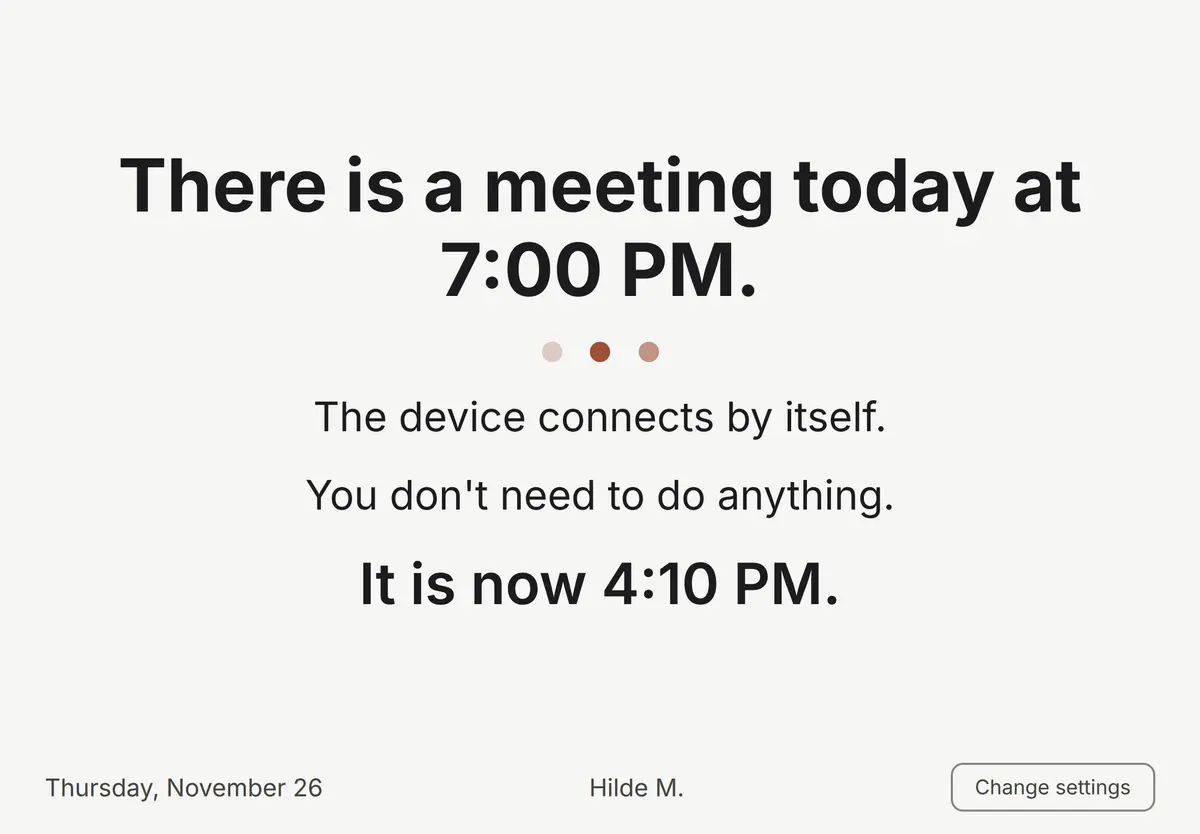
- Wait without doing anything. The device says in one sentence when the next meeting is. Text and contrast are large enough to read from an armchair.
- Take part. When the meeting runs, the device connects. The microphone is always off when joining. Whoever wants to say something taps “Raise hand”.
Who does what
| Who | What | Page |
|---|---|---|
| Administration | Creates the congregation, connects Zoom, enters meetings, gives permissions | Administration, Connect Zoom |
| Helper | Pairs the device and goes through the seven setup steps with the person | Helpers |
| Person at home | Waits, takes part, raises a hand | Devices (iPad) |
| Technical team in the hall | Sees the devices, switches a microphone off, sends a short message | Helpers |
Get started in four steps
- Open the administration at live.congplan.app and sign in with your email address.
- Create the congregation and connect it to Zoom.
- Enter the meeting in the section “Meetings”.
- Install CongPlan Live on the iPad and pair the device.
What you need
- An iPad or iPhone with iOS 16 or later, with Wi-Fi at the person's home.
- A Zoom meeting of the congregation, either always the same one or a new one every week.
- One person with the role Administration who signs in to the administration in the browser.
Device and administration speak German or English, following the language that is set. Everything other than German shows English.